

I’ve spent years guiding players understand casino account management, and I can tell you: starting a gaming session should create excitement, not a struggle with a forgotten password. That’s why KokoBet Casino carefully designed its auto login feature, and they tailored it for Dutch players. This isn’t some simple “remember me” option that stores your password in plain text. It’s a system designed to provide immediate access while still complying with rigorous security norms that authorized gambling mandates. I’ll take you through every layer of the auto login journey: how to set up an account that’s ready for quick sign-in, the verification procedures Dutch players need, the exact methods to turn on auto login on desktop and mobile, and the security and token administration that protect your identity behind the scenes. I’ll also discuss frequent problems and address the frequently asked questions. By the time you finish reading, you’ll not only know how to use the feature, but comprehend the reasoning behind its design and how it makes your sessions at KokoBet Casino more seamless, more secure, and far more pleasant.
Understanding the Auto Login Feature at KokoBet Casino
When I say auto login at KokoBet Casino, I mean a secure way to avoid typing your username and password on each occasion on a device you’ve already signed into before. The casino does not store your credentials in a unsafe way; instead, it creates an encrypted session token and saves it on your device. That token is one-of-a-kind, expires after a set time, and is linked to the fingerprints of your device and browser. The next time you come, the server verifies that token, makes sure it’s active, and if everything matches, logs you right in. For Dutch players, this feature is built to operate with the rigorous data protection laws that regulate online gambling, so your personal info never travels in the open. And because local rules may demand you to confirm your identity again occasionally, you won’t stay logged in forever without a fresh check.
I wish to be explicit: auto login is by no means some all-access master key. It only operates on the device and browser where you enabled it, and it’s built to deactivate if anything appears suspicious. Delete your browser cookies, refresh your OS, or try logging in from a different IP address that raises a flag, and that token is revoked instantly — you’ll need to sign in manually. That’s by design, not a bug. In my experience, the most secure systems are the ones that presume every session might be under threat and keep checking. KokoBet Casino’s setup features that kind of continuous verification (I’ll delve into the details later). For now, just keep in mind that auto login goal.com is a convenience layer resting on top of a solid authentication foundation, and it’s offered to any verified Netherlands player who chooses to use it.
Steps to Enable Auto Login on Your Desktop Device
Activating auto login on a desktop or laptop is simple, but I’ll guide you through it so you can sidestep the pitfalls I’ve seen others encounter. First, log in with your email and password. On the login form, locate a checkbox like “Keep me logged in” or “Remember this device.” That’s the option for auto login. Before you check it, make sure you’re on a personal, secure network and you’re using a device only you control. Don’t activate auto login on a shared computer — the session token would grant anyone with physical access an unrestricted path to your account.
After you select the box and authenticate, the platform generates an encrypted token and stores it in your browser’s local storage or a secure cookie. The token doesn’t contain your password — it’s a random string that points to a server-side session record. On future visits, your browser shows this token, and if it’s still valid and the device fingerprint corresponds, you’ll arrive in the lobby, skipping the login screen. The token has a fixed lifespan, often 30 days of inactivity, then it ends. If you log out manually, the token is canceled right away. So you’re always in command: to briefly disable auto login, just log out. The feature stays off until you log in again and tick the box.
Account Verification and Compliance Needs for Dutch Users
The verification step can worry many players, but it’s a routine process that ensures safety for you and the casino. Players from the Netherlands at KokoBet Casino undergo the same AML and player verification processes that are common in European licensed markets. You’ll need to upload a clear, colour copy of a state-issued ID — typically a passport or Dutch identity card. The document has to show your full name, DOB, and picture, and be up to date. I consistently advise a scanner or a bright phone photo where every corner is visible and no glare obscures details. Blurry images are the top reason for delays, so take your time.
In addition to your ID, you must provide a proof of address document. A current utility bill, bank statement, or government letter from the past three months is ideal. The listed address must correspond to what you entered during sign-up, including the apartment number and postal code. For Dutch users, a digital BRP (Basisregistratie Personen) record may also be accepted, but I advise checking the verification page for the approved document list. And based on your chosen payment method, you may have to prove you own that payment method. For instance, if you’re using iDEAL, you could be requested to submit a screenshot of your internet banking with your name and account number. The full verification usually lasts from a couple of hours to 48 hours. Once your account is approved, your account is fully accessible and automatic login is ready.
How Auto Login Functions So Smoothly for Loyal Players
When I think about feedback from Dutch players who have adopted auto login, the word that appears most is “flow.” The mental shift from “I need to log in” to “I’m already in” erases a tiny but noticeable bit of friction that, after dozens of sessions, renders the whole experience feel more immersive. For fans of live dealer games, where timing and fast decisions matter, jumping straight into the lobby without typing credentials can be the difference between grabbing a seat at your favorite table and waiting for the next round. Even slot players benefit: the smooth jump from tapping the app icon to spinning the reels keeps that spontaneous fun that makes casual play so appealing.
Beyond convenience, auto login actually improves account security in a counterintuitive way. By cutting down how often you type your password manually, it minimizes the risk of keyloggers snagging your credentials on a compromised machine. The biometric option on mobile turns your login into a multi-factor process that’s faster and harder to fake than a password alone. I’ve also noticed that players who use auto login are less likely to fall back on weak or reused passwords out of frustration, since they only type that complex password once during setup. So it’s not just a luxury; it’s a practical security upgrade that guides you toward better password habits. In the Dutch market, where digital know-how is high and people expect a polished user experience, KokoBet Casino’s auto login delivers the kind of effortless, secure access that today’s players demand.
Setting Up Your KokoBet Casino Account: A Detailed Walkthrough
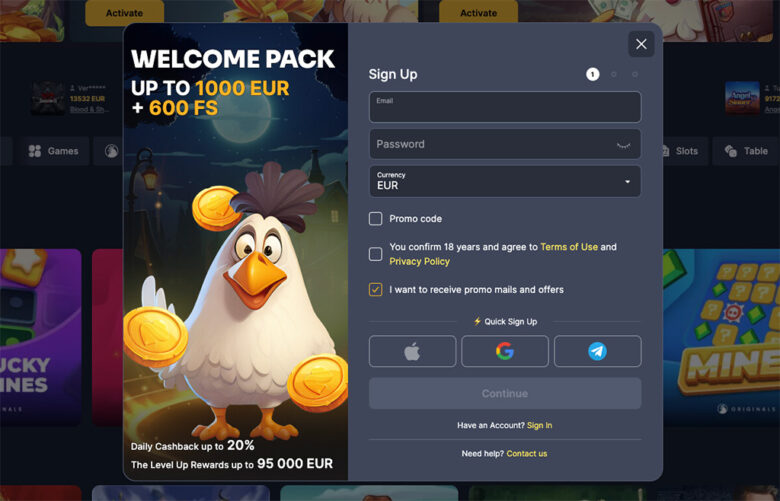
Ahead of you can activate auto login, you’ll require a fully registered account. I always recommend players to take this step seriously because the details you enter now impact how smoothly verification and future logins go. KokoBet Casino’s sign-up form is simple but thorough. You’ll begin by entering your full legal name, birth date, email, and a mobile number. For Dutch players, the form automatically adapts to Dutch address formats, including the postal code structure, which reduces formatting mistakes that could slow down your KYC check. You’ll also pick a strong password — I suggest a mix of uppercase, lowercase, numbers, and symbols, and never reuse a password from another site.
Once the basics are finished, you’ll be prompted to select your currency and any responsible gambling limits right away. I appreciate that they approach it this way — it demonstrates the operator prioritizes player protection. You can set deposit limits, session time reminders, and loss limits before you even add a cent. After sending, you’ll receive an email with a verification link. Click it to validate your email, and your account becomes active in a preliminary state. You can sign in and explore the lobby, but you won’t be able to add funds or use auto login until you complete the full ID verification. I highly recommend doing it right then rather than delaying it; an unverified account will always run into a problem when you least expect, and that can wreck the smooth experience auto login is designed to give you.
Protection Systems Behind the Auto Login Feature
I’ve already covered token-based authentication, but let’s dive deeper so you can see the security architecture that makes auto login safe for real-money play. At its heart, the system utilizes asymmetric encryption during the initial handshake. When you sign in with “remember me,” the server produces a unique session ID and authenticates it with a private key. The public key is embedded in the token transmitted to your device. Each time your browser or app sends that token, the server checks the signature — it never needs your password again. So even if someone hijacked the token, they couldn’t pull your credentials from it, and it would be ineffective on another device because the fingerprint check would fail.
On top of that, the auto login token is linked to a set of device details: browser version, OS, screen resolution, fonts, timezone. This forms a device fingerprint that’s verified with every request. If there’s a mismatch — say someone attempts to copy the token to another computer — the session is killed instantly and you obtain an email alert. I also admire that KokoBet Casino offers two-factor authentication (2FA) as an optional extra. With 2FA on, auto login still works, but the token is tightly linked to the second factor, so you might be asked for a one-time code if the risk engine spots something odd. This layered defense is exactly the kind of setup I look for when assessing a casino’s security.
Adjusting Your Login Preferences and Resolving Common Issues
Even the best-designed system can hit a snag in real-world use. I want to provide you with the know-how to handle them calmly. The problem I see most is auto login suddenly stopping after a browser update or after you clear browsing data. That’s because the stored token gets removed along with other site data. The fix is easy: log in manually once more and tick the “Keep me logged in” box again. To avoid it in the future, add the KokoBet Casino domain to your browser’s exception list for cookie clearing. Another common one: the token expires from inactivity. If you haven’t logged into the casino in 30 days, you’ll need to sign in again — that’s actually a wise security measure.
On mobile, lees verder hier, biometric auto login can fail if your fingerprint sensor is unclean, your face is partly blocked, or the OS has removed permissions after an update. The first thing to do: log in manually with your password, then re-enable the biometric option in account settings. If the issue sticks, check your device’s security settings to make sure biometric unlock is still available for the app. In rare cases, you might have to uninstall and reinstall the casino app — but be absolutely confident you know your password before you do that. If nothing helps, customer support can guide you reset your login method securely. I always tell players to keep their registered email access up to date, because account recovery usually requires email verification.
Enabling Auto Login on Phone and Tablet Devices
On mobile, KokoBet Casino’s auto login extends further by working with the biometric security built into your smartphone or tablet. If you employ a mobile browser or the dedicated app, you can decide to log in with your fingerprint, face, or iris scan, rather than only depending on the stored token. Dutch players who care about both speed and security often like this because your biometric data never exits your device — it’s handled locally by the OS, and only a confirmation signal goes to the casino’s servers. I always advise turning on biometric login if your device supports it; it adds a physical factor that makes the whole thing even more secure.
Activating Auto Login on iOS
If you’re on an iPhone or iPad, after you log in manually the first time, the casino will ask if you want to use Touch ID or Face ID for faster logins. Accept it, and a secure token is kept in your device’s keychain, encrypted and walled off from other apps. From then on, whenever you access the KokoBet Casino web app or native app, you’ll get a biometric prompt. A quick glance or a tap of your finger logs you in. Just make sure you never enroll someone else’s biometric data, and ensure your device passcode strong — it’s the alternative if biometrics fail.
Employing Face ID or Touch ID
Setting up Auto Login on Android
Android phones provide a equally robust experience, utilizing Google’s biometric library. After you authenticate manually the first time, the casino demands authorization to use fingerprint or face unlock. Allow it, and your account gets linked to a security key stored in the Android Keystore. Next time access the casino, the app requests biometric verification, and once you verify, you’re signed in instantly. I consider Android’s version equally secure as iOS — as long as your device has frequent security updates. Always ensure your OS updated to remain ahead of any weaknesses that might threaten the token.
Employing Fingerprint Scan or Biometric Unlock
The Android auto login token is bound to your device and your biometric template. Register a new fingerprint or do a factory reset, and the token is deactivated. That’s a essential security measure to block token reuse if the device changes hands. The one small hassle I’ve encountered: some Android skins might require you to re-enable auto login after a big system update, but the casino will instruct you to do that conveniently.
FAQ
Is automatic login offered to all Netherlands players instantly after registration?
No, auto login only becomes available after your account is thoroughly verified. You’ll need to complete the KYC process by sending in your ID, proof of address, and if needed, payment method verification. Once the compliance team approves your documents, the “Keep me logged in” option appears on the login form. I’d advise finishing verification right away so you can experience hassle-free access without hold-ups.
Can I use auto login on multiple devices simultaneously?
Certainly, you can set up auto login on several personal devices — your desktop, laptop, smartphone. Each device obtains its own encrypted token, and all sessions are managed separately. But if the security system spots logins from places widely separated at the same time, it might flag it and request a manual re-login. I’d suggest only using auto login on devices you control completely.

What occurs with my auto login if I modify my password?
Changing your password right away kills all existing auto login tokens on every device. That’s by design — it blocks unauthorized access from a session that might have been hijacked. After you change your password, you’ll need to log in manually on each device and turn auto login back on. I view it as a minor hassle that significantly boosts account safety.
Is auto login functional with two-factor authentication enabled?
Yes, but it works a bit differently. With 2FA on, the auto login token is securely tied to your second factor. On a recognized device, you’ll normally log in without a 2FA prompt for a specific number of days. But if the risk engine spots something unusual, you’ll be asked for a one-time code even on a recognized device. This multi-layered approach maintains things convenient without compromising security.
How do I disable auto login if I suspect my device has been compromised?
The quickest way is to log out from the casino on that device — that revokes the token right away. For broader protection, change your account password, which clears all tokens on all devices. I’d also contact customer support to check recent login activity and, if needed, put a provisional hold on the account. Move fast if you suspect anything off.
Can clearing my browser cookies delete the auto login token?
Yes, clearing cookies or site data removes the stored token, and you’ll have to log in again again. If you clear your browsing data often, I’d suggest adding KokoBet Casino’s domain to your browser’s exception list to maintain the token safe. On mobile, the biometric auto login token resides in the secure enclave and isn’t impacted by clearing the browser cache, so that method holds up better.
Is it biometric auto login mandatory for mobile users in the Netherlands?
No, it’s completely optional. You can stick with the standard token-based auto login by checking “Remember me” when you authenticate through your mobile browser, without needing a fingerprint or face scan. I’d suggest biometric login because it provides a solid physical authentication layer, but the call is yours. You can turn it on or off anytime from your account settings or device permissions.